

The short answer
Test a small agreed workload before you test the whole office
A business internet failover test should prove that the backup connection supports the work your office actually needs. Choose a quiet window, name the people responsible, record the starting state and test a small group of agreed applications before widening the scope. Keep a clear stop condition and a tested path back to the primary connection.
The goal is not to create the longest possible outage. It is to observe what changes when traffic moves to the backup link, whether staff can complete priority tasks and whether the office returns cleanly to normal. A green status light on a firewall does not prove that calls, cloud applications, authentication, remote access and payment services work as expected.
Milnsbridge provides business NBN and fibre, with backup links, monitoring and failover testing defined in the agreed scope. Managed FortiGate is a separately scoped monthly add-on. Confirm the exact design and support boundary before scheduling a test. [3]
Before the window
Define what success means for this office
Start with the applications and communications that matter during a short primary-link outage. A professional services office may prioritise Microsoft 365, document management, voice calls and a line-of-business application. A warehouse may also need label printing, scanners, dispatch systems and carrier portals. The list should reflect the site, not a generic network checklist.
For each item, write one simple user action and one expected result. For example, send and receive a test email, open a known SharePoint document, join a short Teams call, place an inbound and outbound phone call, process a test transaction in a vendor sandbox, or connect to an approved remote service. Do not use live customer data merely to make the test realistic.
Set practical thresholds for the test window. Decide how long the change may take, how much delay or reduced quality is acceptable, and what result triggers an immediate return to the primary link. These are operational decisions for the business owner and IT lead. They should not be invented during the interruption.
Record dependencies that may behave differently on the backup service. These can include public IP allowlists, VPN peers, hosted phone systems, cloud security services, DNS, inbound services and applications tied to a source address. If a dependency has not been assessed, exclude it from the first test or involve its owner.
Test worksheet
Give every check an owner and an observable result
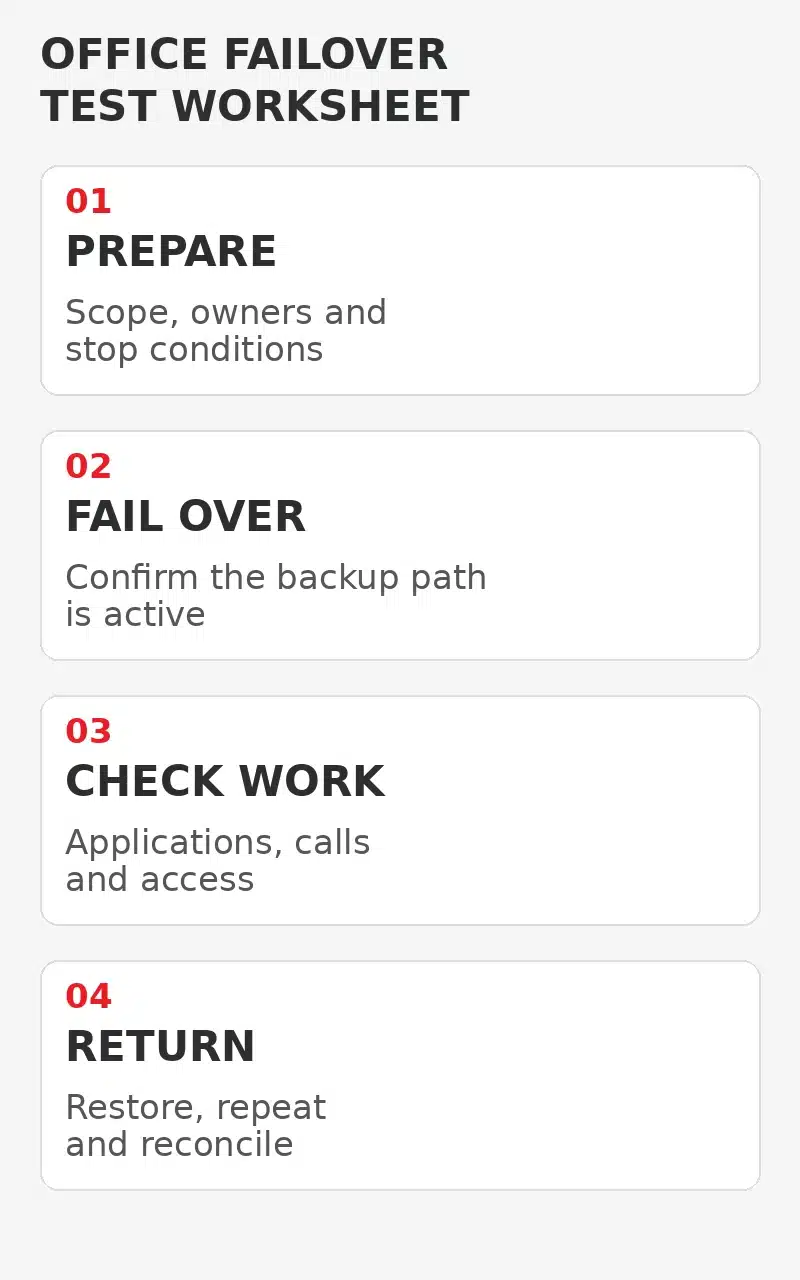
Use a worksheet that separates preparation, failover, application checks and return to normal. One person should control the network change. A second person should run the business checks. A third person can record times, symptoms and screenshots that contain no sensitive information. In a small office, one person may cover more than one role, but the responsibilities should still be explicit.
Capture the primary and backup service names, the approved window, who can stop the test, how support is contacted and the expected method of failover. Record the current external address only if it is operationally necessary and protect the worksheet accordingly. Do not publish network details in a general staff notice.
The worksheet should show a pass, fail or not tested result for each item. Add the observed time and a short note. Avoid a single overall tick that hides a failed phone call or an application that only worked after a manual change.
Prepare
Confirm scope, owners, user checks, stop conditions, support contacts and the verified return path.
Fail over
Make the approved change, record detection and transition times, and confirm which connection is carrying traffic.
Check work
Run the agreed application, voice, authentication, VPN and device checks with a small test group.
Return
Restore the primary path, repeat key checks, clear temporary changes and reconcile every open result.
Controlled failover
Change one thing and keep the office informed
Tell the test group when the window starts and what they should report. Ask other staff not to restart network equipment, switch to personal hotspots or change application settings unless directed. Unplanned workarounds can hide the real result and make the return to normal harder to diagnose.
The technical method depends on the design. A managed device may detect loss of the primary path through a link-health check and select the backup route. Fortinet documents that dual internet designs need health monitoring, routing and security policies that support the alternate path. A physical link can remain up while upstream access is unavailable, so a meaningful health check matters. [1]
Do not turn off the entire communications cabinet to simulate one carrier failure. That can remove the firewall, switches, wireless access points, voice equipment and the backup service at the same time. Test the failure mode the design is meant to handle, using the approved device and carrier procedure.
Once the backup path is active, confirm it from the management platform and from an independent user check. Record whether existing sessions survive, reconnect automatically or require a fresh sign-in. Do not treat a successful web search as proof that all business services have recovered.
Real application checks
Test the work path from the user seat
Run each check from the same network and device type staff normally use. A test performed only from an administrator's laptop may miss wireless, proxy, DNS or application behaviour affecting the wider office. Keep the first group small so a problem can be contained without interrupting every employee.
Check cloud applications by completing a harmless business action, not merely loading a sign-in page. Microsoft explains that Microsoft 365 user experience depends on the network path to distributed service entry points and that routing, DNS and network hairpins can affect performance. A backup route can therefore work while still changing application behaviour or delay. [2]
For voice, test inbound and outbound calls, audio in both directions, caller identification where relevant and any queue or overflow behaviour included in scope. For remote access, confirm only the approved path and avoid broadening access during the test. For line-of-business applications, involve the application owner or vendor where source-address restrictions or private links apply.
Record reduced capacity honestly. A mobile or lower-capacity backup may be suitable for priority work but not for every video meeting, large upload and software update at once. If the agreed continuity plan calls for restricted use, test that staff can follow the restriction rather than pretending the backup is identical to the primary service.
Return to normal
Prove that failback works as carefully as failover
A test is incomplete until the office is back on the intended primary path. Restore the primary service using the approved procedure, then verify which route is active. Repeat the priority application and voice checks. Confirm that temporary routing, test accounts, vendor changes and staff workarounds have been removed or assigned for follow-up.
Watch for sessions that stay on the backup path, VPN peers that do not rebuild, phone services that register slowly or monitoring that reports the wrong state. Record the actual result instead of closing the test when internet browsing returns. If the primary service is unstable, stop repeated switching and escalate through the agreed support route.
Tell staff when normal service is restored and which issues remain open. If a failed check affects a priority process, assign an owner and a decision date before the next test. Do not schedule another broad test until the cause and corrective action are understood.
Review the evidence
Turn the test into a smaller improvement list
Review the business internet failover test worksheet with the business owner and IT lead. Separate design defects from expected limitations. A missing alternate firewall policy is a technical defect. Reduced upload speed on a lower-capacity backup may be an accepted limitation. An application tied to the primary public address may require vendor work or a different continuity decision.
Keep the improvement list specific. Record the failed check, evidence, owner, action and retest condition. Avoid a broad conclusion such as upgrade the network when the evidence points to one allowlist, one call route or one undocumented manual step.
Retain the test record with the current network and business continuity documentation. Update it when carriers, firewalls, cloud security services, voice platforms or important applications change. A previous pass is useful history, not proof that today's configuration still works.
Milnsbridge can assess primary and backup connectivity, agree monitoring and testing scope, and coordinate managed network changes for supported environments. The service order should identify what is supplied, monitored and tested. [3]
FAQ
Common questions about internet failover testing
Can we test failover during business hours
Yes, if the business accepts the risk and the first test uses a small group, clear stop conditions and a controlled window. A quieter period is usually easier for an unproven design.
Does an automatic failover status mean the test passed
No. Confirm the active path, then test the applications, calls, authentication and remote services the office needs. A network status alone does not prove the user workflow.
Should we unplug the primary internet cable
Only if that is the approved method for the failure mode being tested. The network owner should choose a safe method that does not remove unrelated equipment or the backup path.
What should happen after a failed check
Record the evidence, restore normal service if the stop condition is met, assign an owner and define the correction and retest condition. Do not hide the failure inside an overall pass.
Sources
Technical guidance and current service scope
Sources checked 29 October 2026.
Explore More
Related connectivity and IT support
Business internet
Review business NBN, fibre and backup links.
Managed FortiGate
Understand the optional managed firewall service and agreed scope.
Managed voice
Plan call behaviour and continuity alongside connectivity.
Managed IT services
Bring connectivity, applications and IT support into one operating plan.
Next step
Test the service your office is relying on
Milnsbridge can assess business internet, backup links and managed network requirements for Sydney offices. Talk to us about a practical connectivity and testing scope.


